Metallic serpent dragon logo in red to purple gradient symbolizing offensive power, high quality, mythic strength and Python-inspired security defense

Cybersecurity for Everyone: Understanding Digital Security, Risks, Vulnerabilities & Cyber Attacks

Metallic serpent dragon logo in red to purple gradient symbolizing offensive power, high quality, mythic strength and Python-inspired security defense

What Is Cybersecurity ? Understanding Digital Systems Security

Metallic serpent dragon logo in red to purple gradient symbolizing offensive power, high quality, mythic strength and Python-inspired security defense

Cybersecurity as the Security of Digital Systems

Cybersecurity can be understood as the security of digital systems.

Cisco: Cybersecurity is the practice of protecting systems, networks, and programs from digital attacks.

From this perspective, cybersecurity focuses on devices and services like:

  • Computers, laptops, smartphones, and tablets
  • Internet access and wireless communication
  • Smart devices such as connected kettles, ovens, TVs, and home assistants
  • Smart home systems like alarms, cameras, and connected locks
  • Electricity and energy management systems such as smart meters
  • Payment systems and banking services (card payments, online transfers, cash machines)
  • Social networks and messaging platforms used to stay connected
  • Healthcare systems and digital medical records

Hacked hospital system interface illustrating how cybersecurity breaches can impact critical healthcare infrastructure affecting everyone
Metallic serpent dragon logo in red to purple gradient symbolizing offensive power, high quality, mythic strength and Python-inspired security defense

Digital Systems: Simple Operations Creating Complex Environments

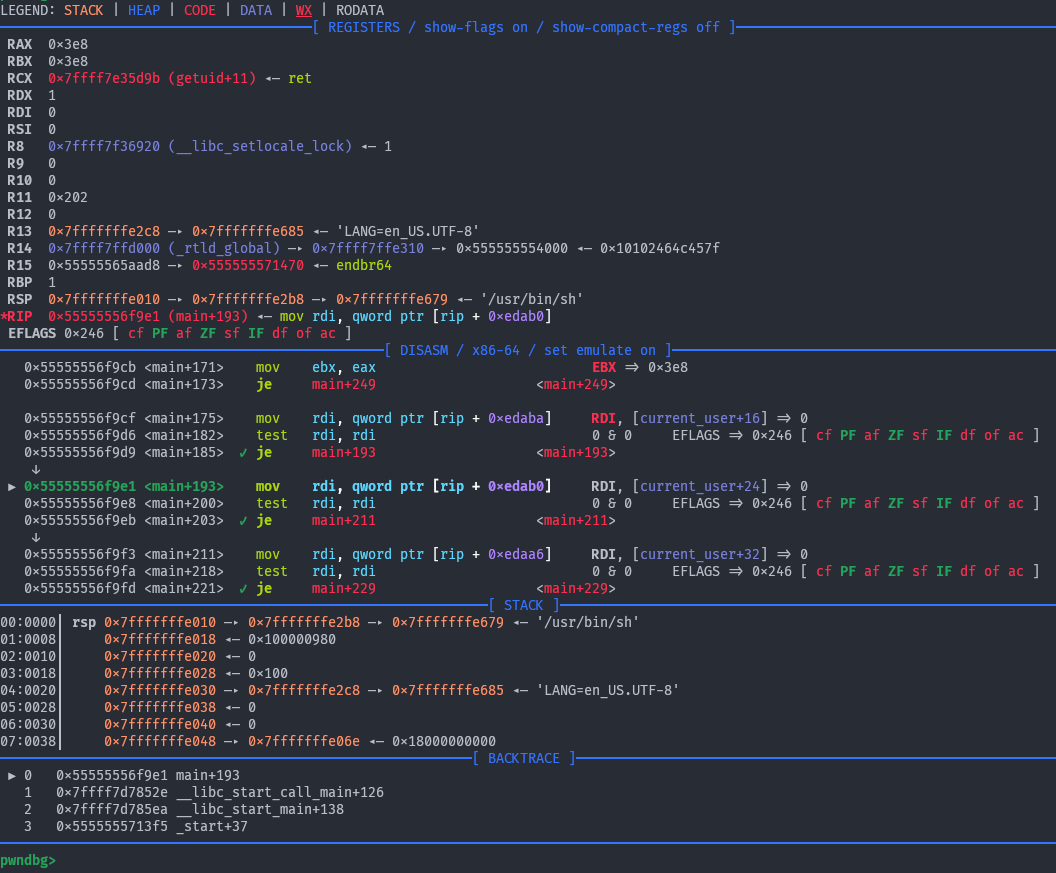
Pwndbg GDB debugger view displaying raw binary data in memory, used for cybersecurity reverse engineering and system vulnerability exploitation

Digital systems are built on extremely simple operations based on two possible states, which are commonly represented as 0 and 1.

Even though each operation is simple, modern systems process billions and billions of these operations every second.

This scale makes the overall behavior too complex for a human to fully follow in real time.
This is where unexpected behaviors and vulnerabilities can appear
In cybersecurity, professionals work directly with these flows:

  • Understanding the usage of data in the program
  • Analyzing program behavior based on this usage
  • Acting to influence, modify, or falsify data flows, in order to change system behavior.
Metallic serpent dragon logo in red to purple gradient symbolizing offensive power, high quality, mythic strength and Python-inspired security defense

Cyberattack Concepts: Vulnerability, Risk, and Threat

Now that we understand why cybersecurity is so important: with digital objects everywhere in our lives, increasing responsibilities, and systems so complex that even their creators do not always fully understand them, we can move on to identifying the core elements behind a cyber attack.
To analyze and defend systems properly, we first need to define three fundamental concepts for cyberattacks: vulnerability, risk, and threat.

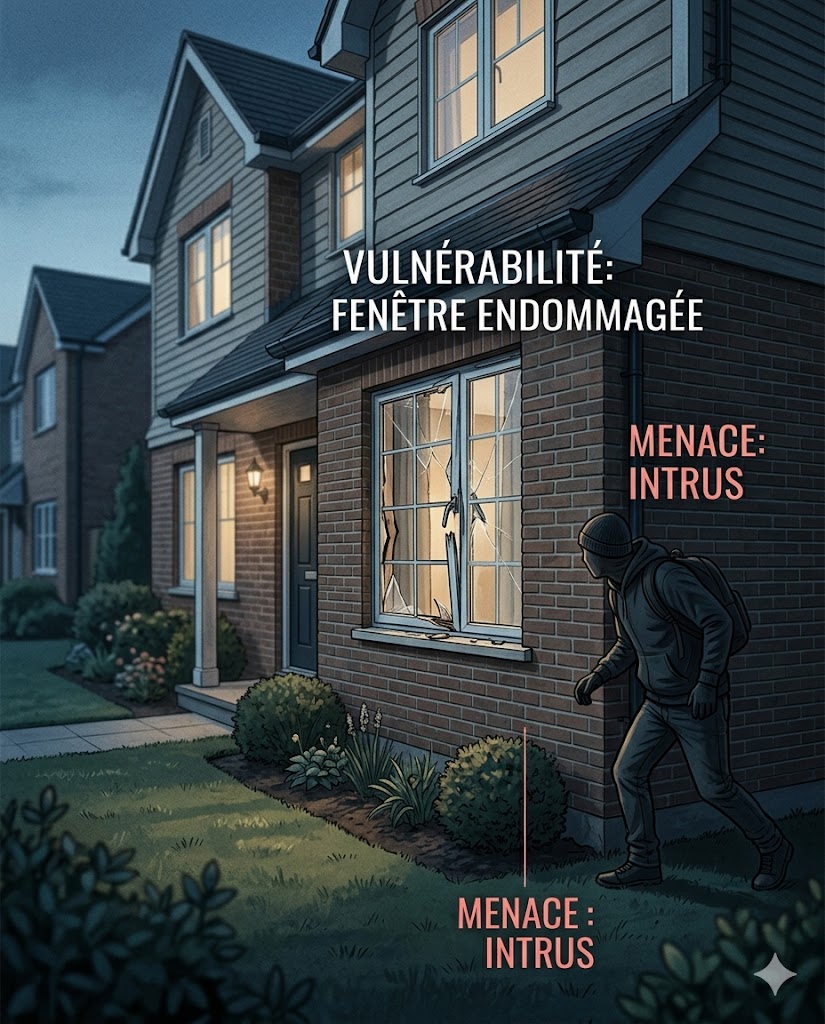
  • What is a vulnerability ? A weakness or flaw in a system that can be exploited. Example: a house with a shutter that does not close properly is a vulnerability.
  • What is a risk ? The potential of a harmful event occurring when a vulnerability is exploited. Example: being burgled is a risk.
  • What is a threat ? Anything (person, group, system, or event) capable of exploiting a vulnerability. Example: the burglar is the threat.
Burglar circling a house with a broken window, illustrating cybersecurity concepts of vulnerability and threat in physical security analogies
Metallic serpent dragon logo in red to purple gradient symbolizing offensive power, high quality, mythic strength and Python-inspired security defense

The CIA Triad: The Criteria of Cybersecurity Strategy

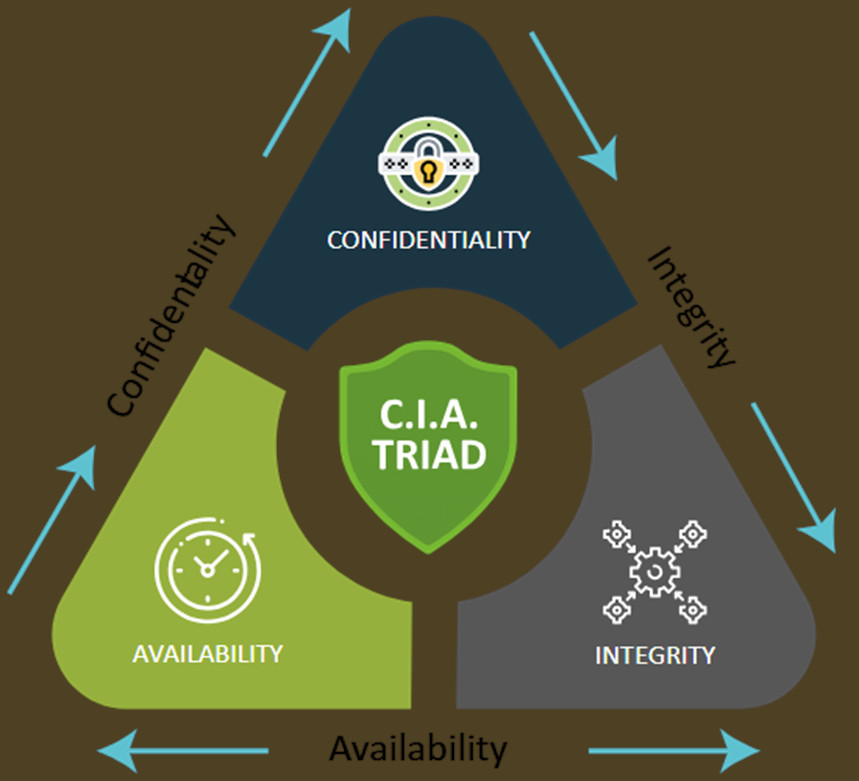
Diagram explaining the CIA triad in cybersecurity: confidentiality, integrity, and availability as core principles of information security.

Cybersecurity strategies are often built around three essential objectives known as the CIA Triad.
These principles help organizations evaluate whether systems and data are properly protected.

  1. Confidentiality: Information should only be accessible to authorized people or systems.
  2. Integrity: Data must remain accurate, trustworthy, and unmodified unless authorized.
  3. Availability: Systems and data must remain accessible when needed.

The goal of cybersecurity is often to maintain the balance between these three principles.

Metallic serpent dragon logo in red to purple gradient symbolizing offensive power, high quality, mythic strength and Python-inspired security defense

Who Makes Data Available, Reads It, and Modifies It ?

Now that we know the three core cybersecurity principles: Confidentiality, Integrity, and Availability. We can use them to ask three important questions that help us better understand cybersecurity systems:

  • What makes data available ?
  • What reads the data ?
  • What modifies the data ?

The answer is both technical and human.

  • Digital devices and infrastructure make data available, allow it to be read, and allow it to be modified.
  • Humans are the ones who read, use, share, and modify the data.
Scene from the movie WarGames showing humans interacting with multiple computer screens, illustrating how information systems serve as human-driven interfaces for problem solving
Metallic serpent dragon logo in red to purple gradient symbolizing offensive power, high quality, mythic strength and Python-inspired security defense

Complete Cybersecurity Definition: Systems, Data, Context and Users

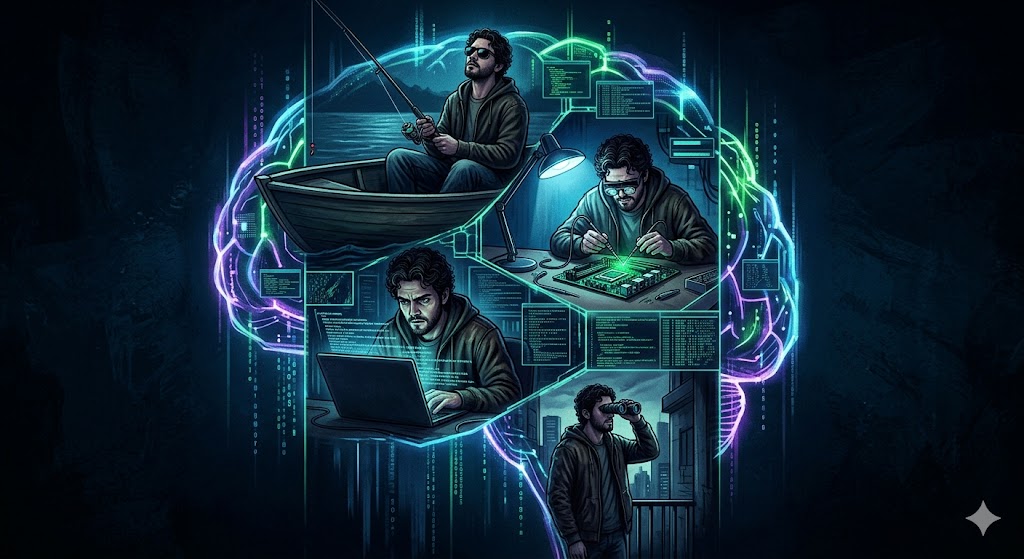
Composite illustration of a hacker engaging in hacking, phishing, surveillance with binoculars, and electronic device intrusion, representing cybersecurity across systems, data, users, and context

At first, cybersecurity can be defined as the security of digital systems. But this definition is incomplete.

  • Does the risk include system data ?
  • Can users themselves become a vulnerability ?
  • Can the context become a vulnerability ?

Cybersecurity is not only the protection of computers, servers, or connected devices.
It is also the secruity, including the safety, of:

  • the data contained inside these systems,
  • the availability and reliability of these systems,
  • the context of usages,
  • and the actions taken by users interacting with them.
Metallic serpent dragon logo in red to purple gradient symbolizing offensive power, high quality, mythic strength and Python-inspired security defense

Cybersecurity Etymology: The Origin of the Word "Cyber"

The word "cyber" comes from the ancient Greek term "kybernētikḗ" (κυβερνητική), meaning: the art of steering, piloting, or governing.
Ancient Greeks originally used this term to describe the act of piloting a ship.

In 1834, French physicist and mathematician André-Marie Ampère used the word "cybernétique" to describe: the science of governing humans.

The word "cyber" was therefore linked to: control, guidance, and systems.
Modern cybersecurity still reflects this idea: understanding, controlling, and securing complex systems.

Even modern technologies still use this origin: Kubernetes, a platform used to manage and orchestrate software containers, also comes from "kybernētikḗ" (κυβερνητική).

Three-part illustration showing a boat pilot steering a ship, a leader governing people, and a hacker manipulating systems, representing the origin and meaning of the prefix cyber.
Metallic serpent dragon logo in red to purple gradient symbolizing offensive power, high quality, mythic strength and Python-inspired security defense

Learn Cybersecurity: Identify Vulnerabilities Like a Hacker

Metallic serpent dragon logo in red to purple gradient symbolizing offensive power, high quality, mythic strength and Python-inspired security defense

Can You Find the Vulnerability in This Building ?

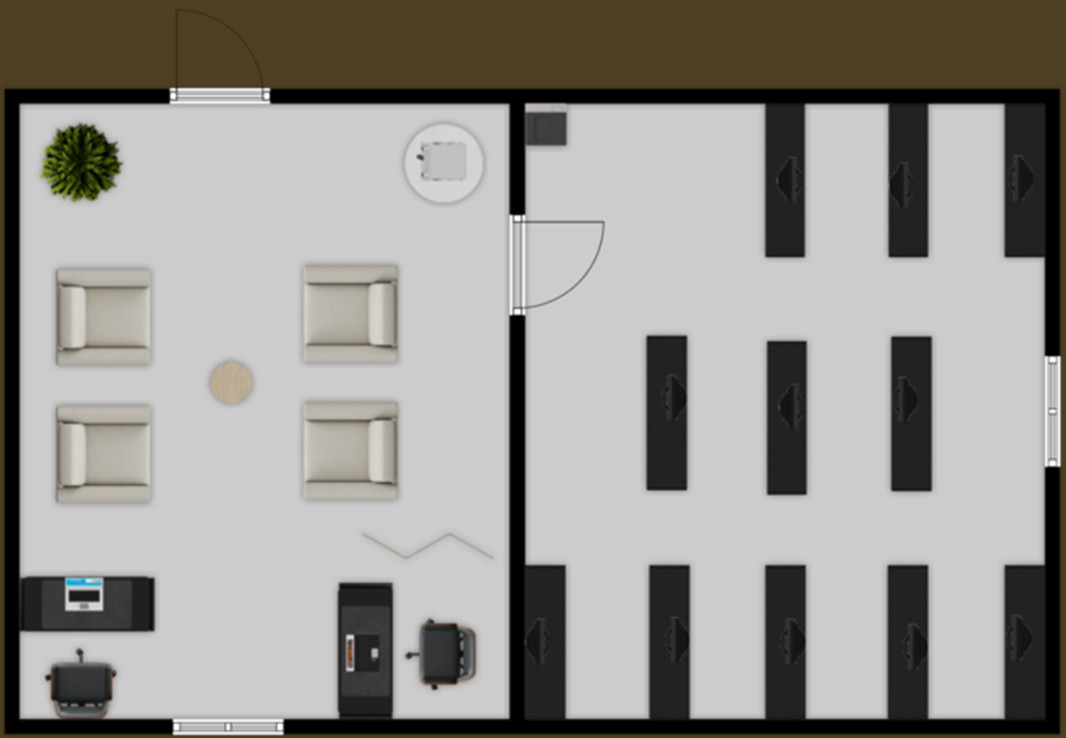
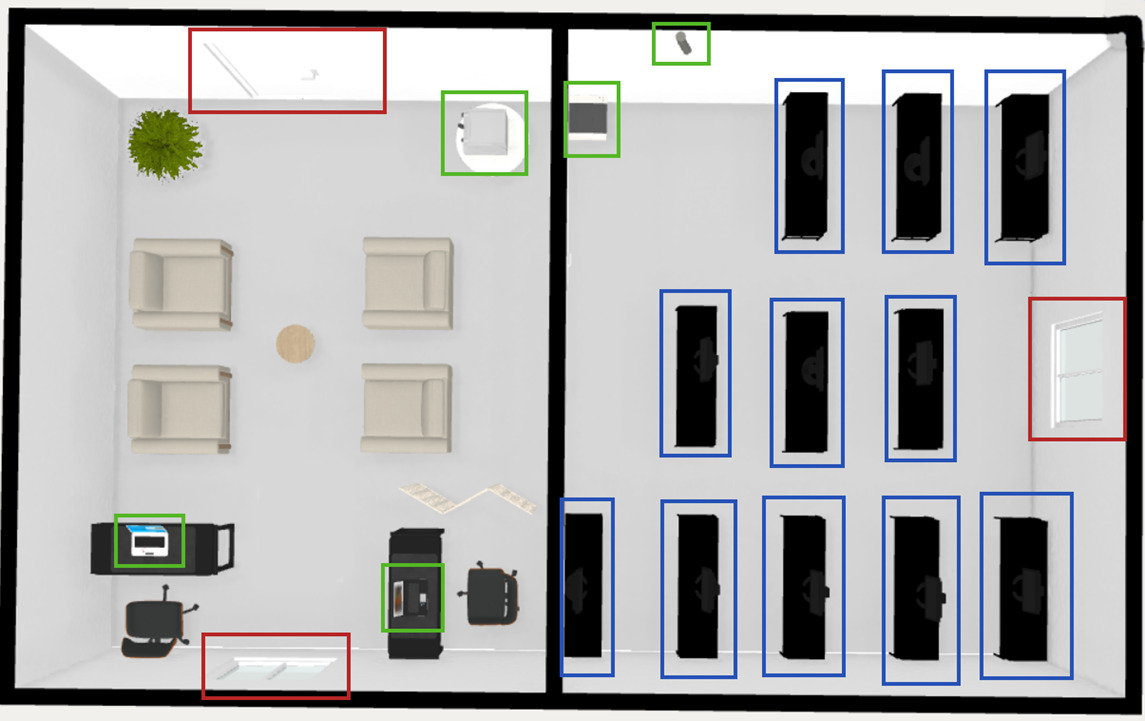
Building blueprint illustrating security flaws and vulnerable-by-design architecture, representing cybersecurity weaknesses caused by insecure system design.
Metallic serpent dragon logo in red to purple gradient symbolizing offensive power, high quality, mythic strength and Python-inspired security defense

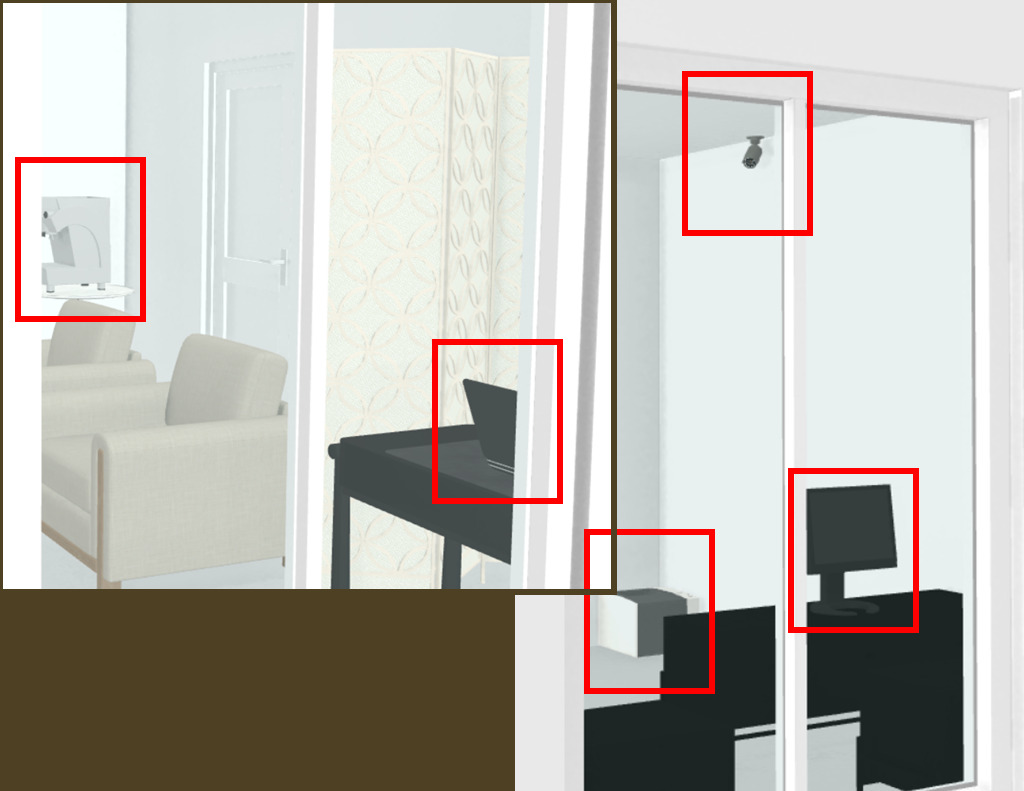
Building Security Vulnerability 1: Information Exposure Through a Window

An attacker outside the building could:

  • observe the screen without being seen,
  • record the screen with a camera,
  • collect confidential information displayed on the monitor.

Without any hacking tools or technical computer skills, the attacker could steal:

  • customer information,
  • contracts and quotes,
  • source code,
  • patents,
  • or industrial secrets.

This is still a cyberattack because digital information is stolen. However, the attack does not require malware, programming, or advanced technical knowledge.

Office window exposing a worker's computer screen to outside observers, illustrating visual data leakage and physical context vulnerability in cybersecurity.
Metallic serpent dragon logo in red to purple gradient symbolizing offensive power, high quality, mythic strength and Python-inspired security defense

Server Room Accessibility Vulnerability

Server room accessible through a fragile exterior window, illustrating a physical security vulnerability that could enable unauthorized access to critical systems.

The server room contains a window. This creates multiple security risks:

  • an attacker can observe the servers and security equipment from outside,
  • information about the infrastructure can be collected without authorization,
  • the physical security measures become visible.

A burglar could also break the window to enter the server room:

  • steal servers,
  • steal storage devices,
  • and later access or extract the data contained inside them.

This is both: a physical intrusion, and a cybersecurity incident because digital systems and data are targeted: the data may become accessible to the attacker, but the services and information also become unavailable to legitimate users.

Metallic serpent dragon logo in red to purple gradient symbolizing offensive power, high quality, mythic strength and Python-inspired security defense

Multiple Others Physical Security Vulnerabilities

Others vulnerabilities in this building:

  • No confidentiality between the customer reception area and the working office. Visitors may see screens, documents, conversations, or sensitive information.
  • The server room is directly accessible through a simple door. Sensitive infrastructure should not be easily accessible. A server room is usually expected to have reinforced physical protection and restricted access.

These vulnerabilities show that cybersecurity is also linked to: physical security, architecture, organization, and environmental design.

Building blueprint illustrating security flaws and vulnerable-by-design architecture, representing cybersecurity weaknesses caused by insecure system design.
Metallic serpent dragon logo in red to purple gradient symbolizing offensive power, high quality, mythic strength and Python-inspired security defense

Can You Find the Vulnerability in This Picture ?

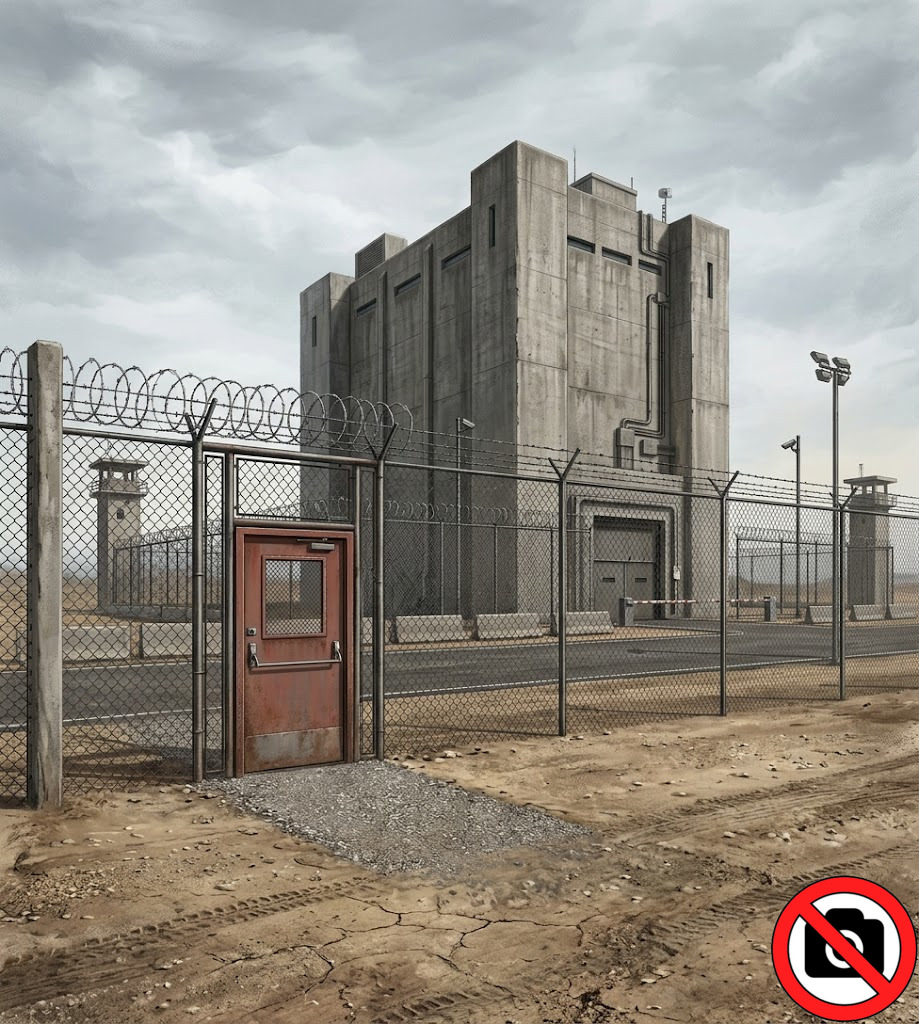
Emergency exit gate in the perimeter fence of a highly secured facility, illustrating a critical physical security vulnerability and potential unauthorized access point.
Metallic serpent dragon logo in red to purple gradient symbolizing offensive power, high quality, mythic strength and Python-inspired security defense

Critical Emergency Exit Vulnerability

Emergency exit gate in the perimeter fence of a highly secured facility, illustrating a critical physical security vulnerability and potential unauthorized access point.

Security systems can contain critical vulnerabilities because of safety requirements and physical design choices.
In this example, a secured site contains an emergency exit behind a fence. The emergency door uses a push-bar opening mechanism:

  • designed to allow fast evacuation during an emergency,
  • but also reachable from outside through the fence.

With a simple rigid wire:

  • an attacker can slide the wire through the fence,
  • hook the emergency push bar,
  • and pull it to trigger the opening mechanism.

Emergency exits follow strict safety regulations: they must allow fast evacuation.
However, they are also frequently: located in less monitored areas, positioned near external structures, or protected with insufficient consideration for intrusion scenarios.

Metallic serpent dragon logo in red to purple gradient symbolizing offensive power, high quality, mythic strength and Python-inspired security defense

Cybersecurity Reconnaissance: How Attackers Search for Vulnerabilities

Metallic serpent dragon logo in red to purple gradient symbolizing offensive power, high quality, mythic strength and Python-inspired security defense

Physical Reconnaissance and Human Behavior Observation

An attacker able to observe a target without being identified will often physically inspect the location before attempting an intrusion.
During this reconnaissance phase, the attacker may:

  • observe entrances and exits,
  • identify employee habits and routines,
  • analyze working hours and presence schedules,
  • detect good and bad security practices,
  • study access systems such as badges, locks, keys, or gates,
  • take photos or videos for later analysis.

The objective is to understand: how the organization works, where security is weak, and which behaviors could be exploited.

Three individuals disguised as a businessman in a restaurant, a homeless person, and a teenager eating ice cream covertly observing a corporate building to gather information for reconnaissance and social engineering.
Metallic serpent dragon logo in red to purple gradient symbolizing offensive power, high quality, mythic strength and Python-inspired security defense

Wireless Reconnaissance: Wi-Fi, Bluetooth and Radio Signals

Three individuals: a businessman, a homeless person, and a teenager; attempting to observe a large secured gate behind a high fence, showing failed reconnaissance due to effective perimeter security preventing visual access

An attacker does not only observe with their eyes. They can also observe the electromagnetic signals emitted by devices and networks.
During this phase, the attacker may:

  • detect Wi-Fi networks,
  • listen for Bluetooth devices,
  • identify wireless communications used on site.

These observations can reveal important information:

  • Is the network using Wi-Fi or wired Ethernet (RJ45) ?
  • Are there connected devices using Bluetooth ?
  • Are wireless headsets used for confidential meetings ?
  • Are smart speakers or connected devices present ?
  • Which types of phones are mainly used: iPhone (iOS) or Android ?
Metallic serpent dragon logo in red to purple gradient symbolizing offensive power, high quality, mythic strength and Python-inspired security defense

Hardware Reconnaissance and Security Equipment Identification

Attacker performing visual reconnaissance on a secure facility, observing entry points, surveillance systems, and physical security weaknesses before an intrusion.

An attacker may also analyze the physical equipment present in the environment. During this reconnaissance phase, the attacker can identify:

  • computer equipment,
  • security devices,
  • connected objects,
  • and infrastructure technologies.

By observing brands, models, or providers, the attacker may estimate the level of security.

Examples of useful observations:

  • Which computers, servers, or networking devices are used ?
  • Are there connected objects or IoT devices ?
  • Which cameras, alarms, or access control systems are installed ?
  • Are physical backups present on-site ?
  • Is video surveillance stored locally or online ?
  • Which security company or provider manages the infrastructure?
Metallic serpent dragon logo in red to purple gradient symbolizing offensive power, high quality, mythic strength and Python-inspired security defense

Digital Reconnaissance and Open-Source Intelligence (OSINT)

Attackers can collect a large amount of information without touching the target directly. This phase is called digital reconnaissance or OSINT (Open-Source Intelligence). An attacker may search for:

  • Information available on Google Maps: (photos of buildings, opening hours, customer identity, entrances, parking areas, or security equipment visible in images).
  • Internet services: websites, exposed devices, internet-connected systems, public IP addresses or domains.
  • Employee information on LinkedIn: technical skills, technologies and products used, interests, communities, or public relationships.
  • Employee activity on social networks: personal information, habits, family members, pets, birthdays, locations, or daily routines.
  • Contact information: professional or personal email addresses, phone numbers, physical addresses.
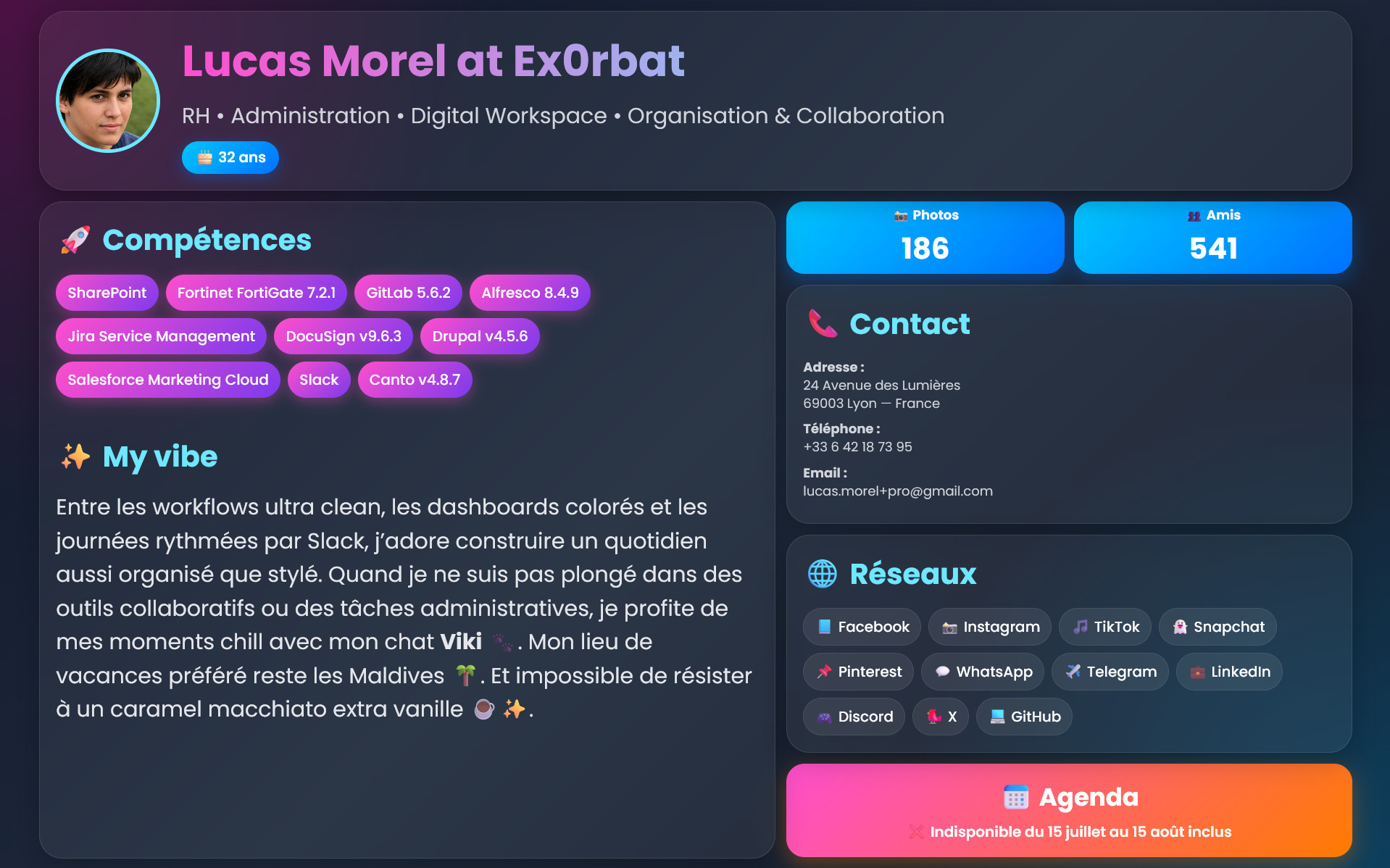
Public employee profile page displaying detailed company technologies, vacation dates, email addresses, and phone numbers, illustrating an open-source intelligence (OSINT) information source valuable for attackers.
Metallic serpent dragon logo in red to purple gradient symbolizing offensive power, high quality, mythic strength and Python-inspired security defense

Can you find vulnerability in this profile page ?

Public employee profile page displaying detailed company technologies, vacation dates, email addresses, and phone numbers, illustrating an open-source intelligence (OSINT) information source valuable for attackers
Metallic serpent dragon logo in red to purple gradient symbolizing offensive power, high quality, mythic strength and Python-inspired security defense

Social Media Profile Vulnerabilities

Social networks can expose a large amount of valuable information to attackers. A public profile may reveal:

  • employer information: technologies, software, products, and even versions used inside the company,
  • personal contact information: personal email addresses, phone numbers, or accounts reused for professional communications.
  • age or birthday,
  • the name of a pet (sometimes reused in passwords),
  • vacation dates: useful if an attacker wants to enter a house or office while the person is away,
  • friends, relationships, and habits,
  • favorite places,
  • liked products.
Public employee profile page displaying detailed company technologies, vacation dates, email addresses, and phone numbers, illustrating an open-source intelligence (OSINT) information source valuable for attackers.
Metallic serpent dragon logo in red to purple gradient symbolizing offensive power, high quality, mythic strength and Python-inspired security defense

How Cybercriminals Exploit Security Vulnerabilities ?

Metallic serpent dragon logo in red to purple gradient symbolizing offensive power, high quality, mythic strength and Python-inspired security defense

Intrusion Methods: Physical Break-Ins, Stealth Access and Social Engineering

Strong Intrusion:

  • Similar to a burglary
  • Attackers force entry through doors, windows, or protected areas
  • The victim immediately notices the intrusion
  • Example: the theft of Iranian nuclear documents allegedly carried out by Israeli intelligence services

Stealth Intrusion:

  • Attackers discreetly enter and leave without visible evidence
  • They may pick locks, bypass protections, install backdoors, or copy data
  • The victim may remain unaware for weeks or months

Social Engineering Intrusion:

  • Attackers impersonate employees, contractors, suppliers, auditors, or security professionals
  • They rely on appearance, confidence, urgency, and trust to obtain legitimate access
  • Once inside, they observe, wait, steal information, install malicious devices, or compromise workstations
Tom Cruise climbing through a window in Mission: Impossible 4 during a cyber intrusion scene
Metallic serpent dragon logo in red to purple gradient symbolizing offensive power, high quality, mythic strength and Python-inspired security defense

Social Engineering: Exploiting Human Vulnerabilities

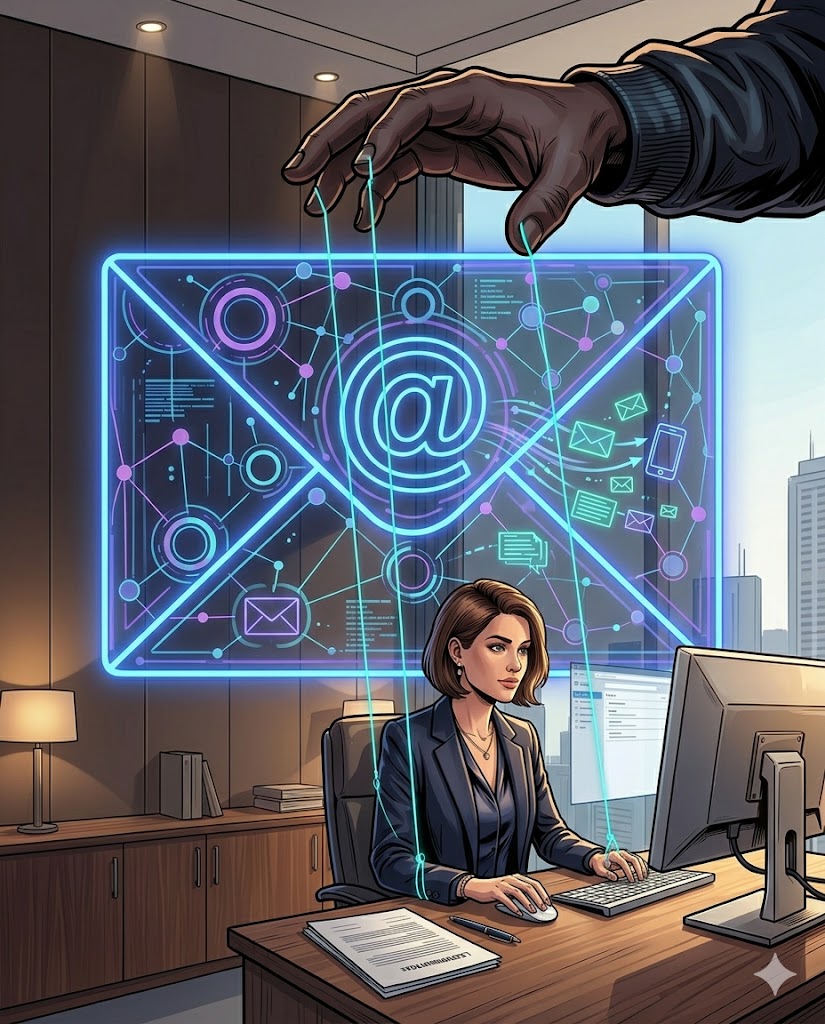
Lawyer puppet manipulated by unseen hand with neon network envelope representing cybersecurity manipulation

Attackers communicate with a target and use psychological manipulation to influence behavior, often bypassing technical security controls entirely.
Psychological Levers Used:

  • Secrecy: “Do not tell anyone”
  • Urgency: “Act immediately”
  • Authority: impersonating managers, IT staff, auditors, or official institutions
  • Importance: making the situation appear critical or high-risk

Common Communication Channels: Phishing (email), Smishing (SMS), Instant messaging platforms, Vishing (phone calls), Quishing (QR code-based attacks)

Metallic serpent dragon logo in red to purple gradient symbolizing offensive power, high quality, mythic strength and Python-inspired security defense

Social Engineering: Exploiting Human Vulnerabilities

Lawyer puppet manipulated by unseen hand with neon network envelope representing cybersecurity manipulation

Typical Scenarios:

  • Password reset requests
  • Security alerts
  • Urgent supplier/client payments or investments
  • Fake documents (HR changes, salary updates, layoffs, invoices, CVs)
  • Legal or administrative threats
  • Service disruption claims (blocked bank card, expired subscription, failed captcha)

Targeted User Actions:

  • Sending bank transfers
  • Entering passwords and 2FA codes
  • Downloading and executing files or programs
  • Copying and executing scripts or commands
  • Clicking malicious links or buttons
  • Scanning QR codes leading to fraudulent pages
Metallic serpent dragon logo in red to purple gradient symbolizing offensive power, high quality, mythic strength and Python-inspired security defense

Contextual Security Vulnerabilities Caused by Unsafe Daily Practices

Many cybersecurity vulnerabilities are created by everyday behaviors intended to save time, simplify IT usage, or reduce operational constraints.
Common Risky Practices:

  • Using computers without passwords
  • Leaving work sessions unlocked
  • Not locking office doors or restricted areas
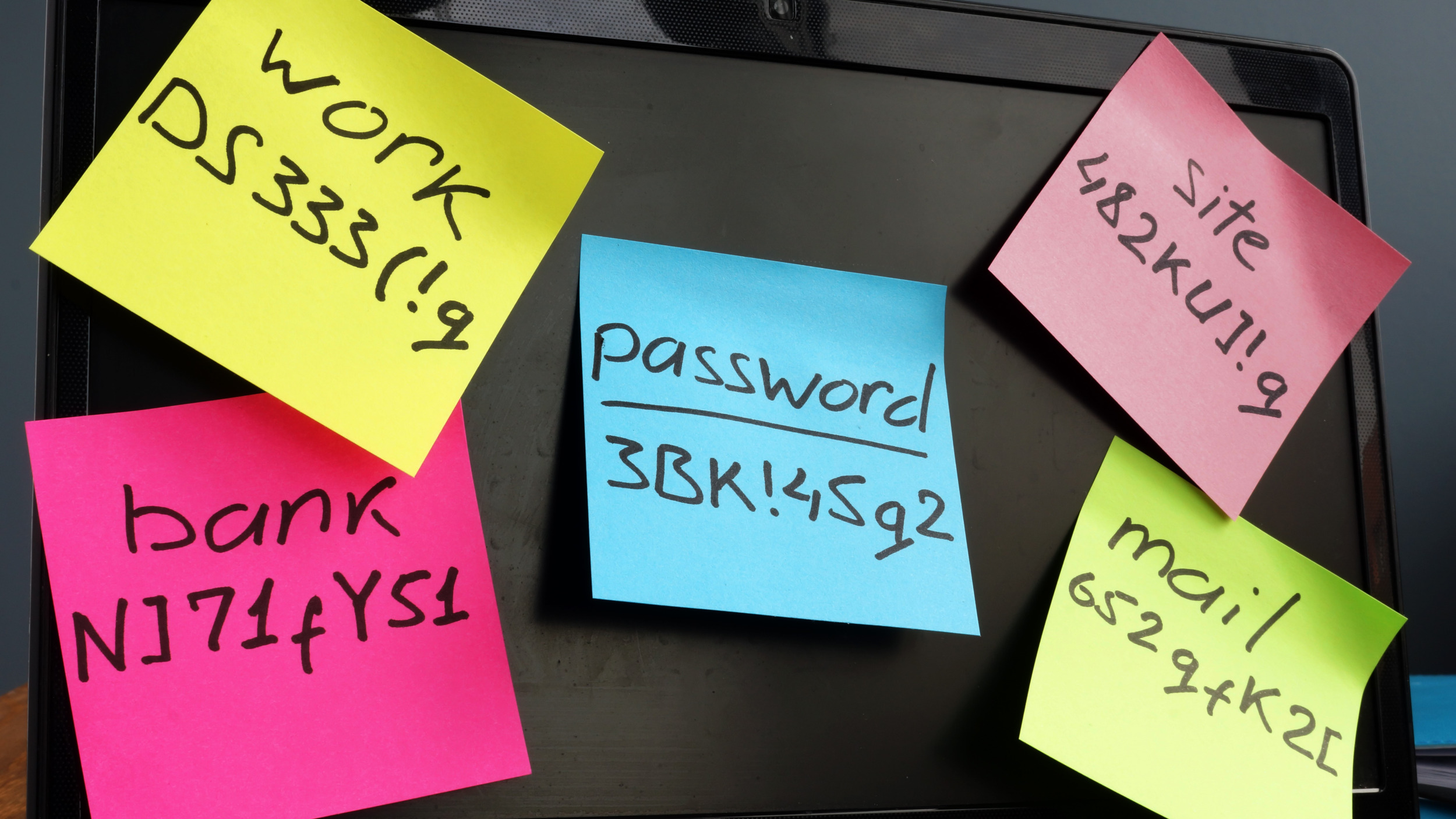
  • Writing passwords on sticky notes
  • Sharing passwords between multiple users
  • Storing passwords in unprotected files or notebooks
  • Saving passwords directly in web browsers
  • Reusing the same password across multiple services
  • Using weak passwords based on names, nicknames, or birth dates
Lawyer exiting office without locking door, leaving workstation open with exposed confidential information and weak security habits
Metallic serpent dragon logo in red to purple gradient symbolizing offensive power, high quality, mythic strength and Python-inspired security defense

Technical Vulnerability Exploitation Through Hardware and Software Analysis

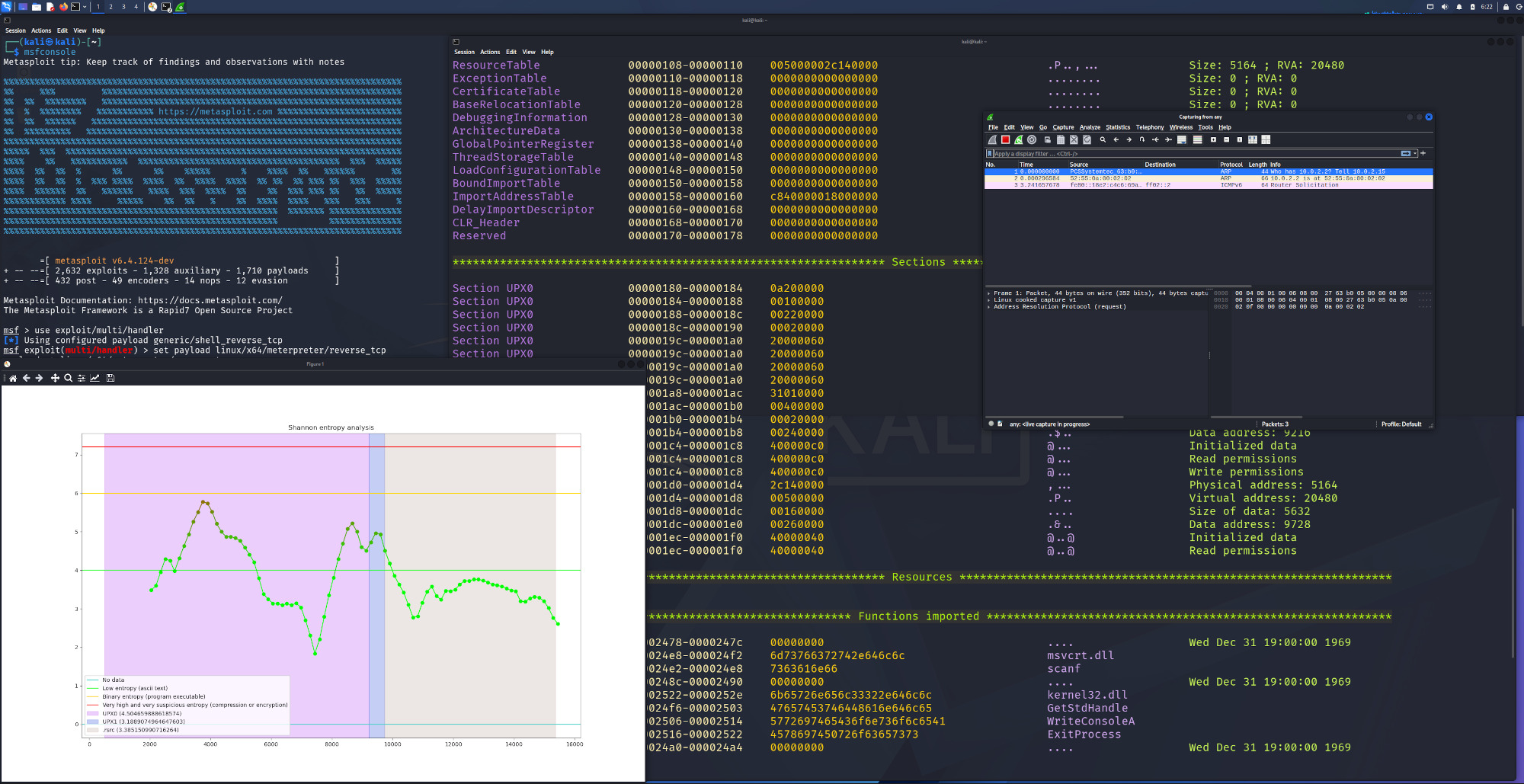
Hacker accessing surveillance camera hardware and using a terminal to identify and exploit system vulnerabilities

Technical exploitation involves using know and unpatched vulnerabilities or analyzing hardware or software to identify new weaknesses that can be abused by attackers.

Hardware Analysis: Buying and disassembling the same device model to inspect firmware, chips, and embedded code to find new vulnerability.

Closed Source Software Analysis: Reverse engineering executable files to understand how the software works and identify vulnerabilities.

Open Source Software Analysis: Reviewing publicly available source code to find programming errors or insecure logic.

Exploitation Automation: Writing scripts or tools to exploit vulnerabilities quickly, efficiently, and at scale.

Metallic serpent dragon logo in red to purple gradient symbolizing offensive power, high quality, mythic strength and Python-inspired security defense

What are the impacts of post-exploitation in cybersecurity ?

Metallic serpent dragon logo in red to purple gradient symbolizing offensive power, high quality, mythic strength and Python-inspired security defense

Human Impacts of Post-Exploitation Attacks

Direct impact:

  • Guilt and loss of confidence for people who have been manipulated by cyber attacks (phishing, social engineering).
  • Some employees experience high stress during and after an attack, some are unable to continue working, and some do not know if they will be paid or if they will keep their job.

Indirect impact: information systems are interfaces for humans, if these interfaces are compromised, they impact the jobs and activities that depend on them, including critical ones such as:

  • hospital emergency systems
  • water access
  • electricity distribution
  • transport company
Depressed lawyer leaning over dry faucet after cyberattack disrupting water supply infrastructure.
Metallic serpent dragon logo in red to purple gradient symbolizing offensive power, high quality, mythic strength and Python-inspired security defense

Hardware and Connected Device Impacts

Connected dam system opening massive valve causing giant flood wave toward village after cyberattack.
  • Hardware theft can directly impact the work and daily activities of victims by preventing access to important devices, files, or services.
  • Connected devices are also valuable targets for attackers. Some are used to provide information, while others can automatically perform physical actions or respond to remote commands.
  • If these devices are compromised, they can alter important behaviors and operations.
  • For example, a compromised dam valve system could retain or release thousands of liters of water, causing major operational or safety consequences.
Metallic serpent dragon logo in red to purple gradient symbolizing offensive power, high quality, mythic strength and Python-inspired security defense

Cyber Espionage and Theft of Strategic Information

  • Cyber espionage allows attackers to steal sensitive and strategic information from companies and individuals.
  • Company patents and research data can be stolen to gain competitive or technological advantages.
  • Business information such as quotations, customer lists, contracts, and commercial offers can also be exfiltrated.
  • Professional secrets and confidential internal information may be targeted during attacks.
  • Personal secrets and private information can also be stolen and later used for blackmail, pressure, or manipulation.
France sinking into the ocean pulled by piggy bank anchor symbolizing cyber warfare, economic crisis and national cybersecurity threats.
Metallic serpent dragon logo in red to purple gradient symbolizing offensive power, high quality, mythic strength and Python-inspired security defense

Financial Cyber Attacks, Ransomware: Cryptolocker, Data Theft, and Service Disruption

Smiling hacker casting digital prison on employee computer, demanding ransomware payment through encrypted hostage-taking and cyber extortion.

Profit-driven attackers use ransom demands to take information systems hostage using one or several attack methods.

  1. Encryption attacks (ransomware) are the most common and well-known method. They make company data inaccessible and can also hide evidence of the intrusion. Backups are often used as protection, but attacks become far more effective when backups are also encrypted or deleted.
  2. Data exfiltration combined with threats of publication or resale is frequently used alongside encryption. This method is often more effective because companies lose control over sensitive data and may suffer reputational damage. However, companies have no guarantee that attackers will not secretly sell or reuse the stolen data even after a ransom is paid. The current trend increasingly involves data exfiltration without necessarily using cryptolocking.
  3. Another method is to make IT services unusable through denial-of-service attacks. If systems stop functioning, companies may be unable to continue operations, causing immediate financial losses and disruption of business activities.
Metallic serpent dragon logo in red to purple gradient symbolizing offensive power, high quality, mythic strength and Python-inspired security defense

Data Destruction and Cyber Sabotage

  • Data destruction can cause severe and sometimes irreversible sabotage of information systems and business activities.
  • Attackers may destroy data to prevent a project from succeeding or to increase pressure during a ransom attack by deleting recovery data and backups.
  • Destruction can also be used to permanently remove sensitive or compromising information after confidential operations or projects.
  • In many cases, attackers erase logs, evidence, and traces of their intrusion to hide espionage activities or to prevent defenders from understanding and adapting their security measures.
  • These attacks are also used during wartime operations. During the first hours of the war in Ukraine, destructive cyber attacks targeted information systems and communications in order to disrupt access to information and complicate the organization of defenses.
Person using smoke signals with cyber warning symbols after IT outage, illustrating communication challenges without computers and digital systems.
Metallic serpent dragon logo in red to purple gradient symbolizing offensive power, high quality, mythic strength and Python-inspired security defense

Disinformation and Destabilization Through Cyber Operations

Screenshot of COVID-19 misinformation post falsely linking 5G antennas to the pandemic, illustrating online disinformation and cyber-enabled fake news.
  • Digital technologies enable instant communication and global reach, making them powerful tools for influence, disinformation, and destabilization campaigns.
  • These techniques are frequently used in politics, public communication, and information warfare to undermine individuals, organizations, projects, governments, or entire countries.
  • False or misleading information can spread rapidly through online platforms and reach large audiences before it can be verified or corrected.
  • Once a person, organization, or project has been targeted, restoring public trust and reputation can be extremely difficult, even when the information is proven to be false.
  • Disinformation campaigns often target moral values, emotions, and deeply held beliefs because emotionally charged messages tend to leave a lasting impression on people's minds.
Metallic serpent dragon logo in red to purple gradient symbolizing offensive power, high quality, mythic strength and Python-inspired security defense

Could the Next Global Crisis Be Cyber ?

  • A growing number of researchers and experts believe that the next major global crisis could originate from cyberspace.
  • Several theories exist regarding large-scale cyber crises. Three of the most plausible scenarios are a major energy crisis, a global logistics crisis, and a crisis of trust.
  • A large-scale energy crisis would require coordinated attacks against multiple electricity producers or distributors, making it one of the most complex scenarios to execute.
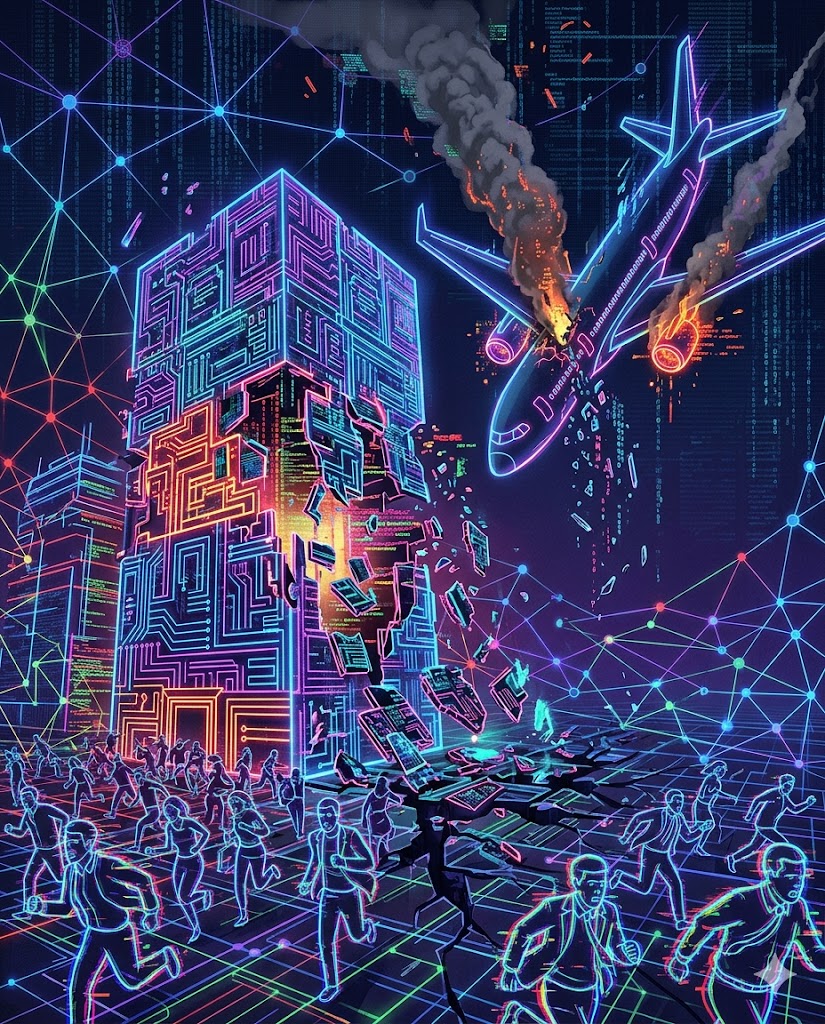
  • A global logistics crisis may be easier to trigger. Modern transportation, supply chains, and industrial operations depend heavily on digital services and cloud providers. The CrowdStrike incident demonstrated how a relatively simple technical failure could disrupt airlines, trains, shipping operations, and businesses worldwide for several hours. Similar disruptions lasting several days would have far greater consequences.
Cyber crisis scene with collapsing digital infrastructure, crashing airplane, falling skyscraper and panicked crowds, illustrating large-scale cybersecurity disruption.
Metallic serpent dragon logo in red to purple gradient symbolizing offensive power, high quality, mythic strength and Python-inspired security defense

Could the Next Global Crisis Be Cyber ?

  • The most feared scenario today is a crisis of trust. Over time, artificial intelligence, social media, fake news, and deepfakes may make it increasingly difficult to distinguish reliable information from manipulated content.
  • Another theory focuses on the deliberate falsification of data. Unlike service outages, manipulated data may remain undetected for long periods while progressively undermining trust in institutions and systems.
  • For example, the alteration of banking records could trigger a major international financial crisis if people lose confidence in banks and financial services, even if the technical systems themselves continue to operate.
Cyber crisis scene with collapsing digital infrastructure, crashing airplane, falling skyscraper and panicked crowds, illustrating large-scale cybersecurity disruption.
Metallic serpent dragon logo in red to purple gradient symbolizing offensive power, high quality, mythic strength and Python-inspired security defense

Understanding the Security Mechanisms That Protect Digital Systems

Metallic serpent dragon logo in red to purple gradient symbolizing offensive power, high quality, mythic strength and Python-inspired security defense

Secrets: The Foundation of Digital Identity and Security

  • In computing, identity is based on unique characteristics. The simplest and most reliable way to verify a person's identity is through a secret known only to that person.
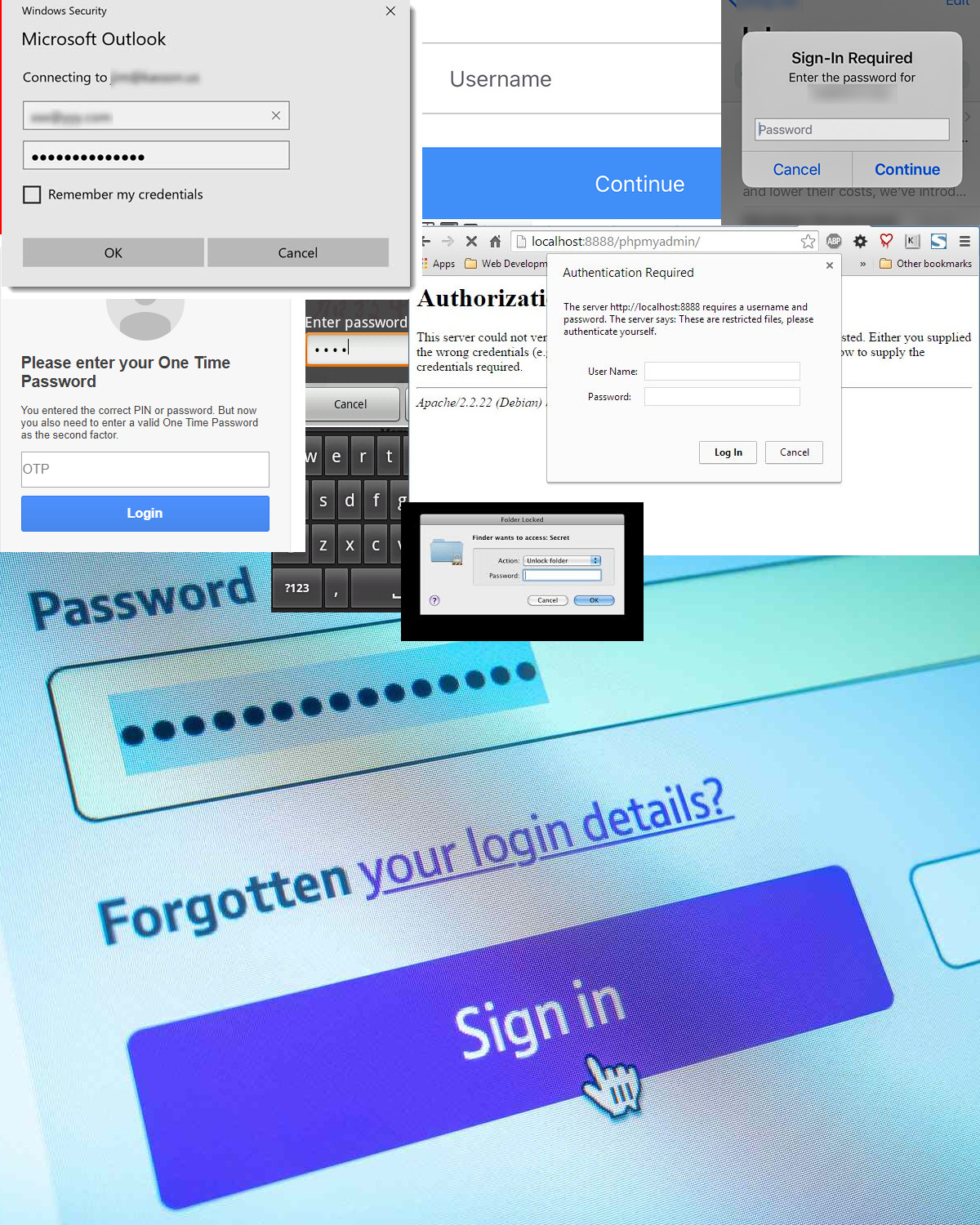
  • Passwords, authentication codes, cryptographic keys, and active sessions are all examples of secrets used to protect accounts, devices, and data.
  • A secret must remain secret. It should never be shared, even with friends or family members, and it should not be based on publicly known information such as names, birthdays, pets, cities, or important dates.
Multiple password prompts across digital interfaces, illustrating how passwords control access to various cyber systems and accounts.

Metallic serpent dragon logo in red to purple gradient symbolizing offensive power, high quality, mythic strength and Python-inspired security defense

Secrets: The Foundation of Digital Identity and Security

  • Some secrets are generated automatically by systems, such as two-factor authentication (2FA) codes or cryptographic keys stored on computers and smartphones.
  • However, these secrets are not immune to compromise. Anyone with sufficient access to a device, software, or password manager may be able to recover the secrets they contain.
  • Some cryptographic protections work like digital fingerprints: the same input always produces the same fingerprint, but it is mathematically infeasible to recover the original data from it. This allows systems to verify secrets without storing or exposing them directly.
  • Unfortunately, not all systems implement these protections correctly, which can weaken the security of user credentials and sensitive information.
Multiple password prompts across digital interfaces, illustrating how passwords control access to various cyber systems and accounts.
Metallic serpent dragon logo in red to purple gradient symbolizing offensive power, high quality, mythic strength and Python-inspired security defense

Cybersecurity Best Practices to Prevent Cyber Attacks

Metallic serpent dragon logo in red to purple gradient symbolizing offensive power, high quality, mythic strength and Python-inspired security defense

Strong Secrets: Building the First Layer of Cyber Defense

  • Effective cybersecurity starts with secrets that are truly secret.
  • Never share passwords, authentication codes, recovery codes, or other sensitive credentials with anyone.
  • Secrets should not be predictable or based on publicly available information such as names, birthdays, addresses, pets, or important dates.
  • Avoid writing down or storing secrets in locations that are easily accessible to other people.
  • The more difficult a secret is to guess, obtain, or steal, the more effective it becomes as a protection against cyber attacks.
  • When possible, reduce reliance on a single secret by using additional protections such as multi-factor authentication (MFA).
Computer covered in sticky notes showing passwords for bank, accounts and devices, highlighting weak password security and cybersecurity vulnerabilities.


Metallic serpent dragon logo in red to purple gradient symbolizing offensive power, high quality, mythic strength and Python-inspired security defense

Security Updates and Vulnerability Management

Hacker workstation with code consoles, network monitoring dashboards and malware analysis tools, illustrating the exploitation of technical vulnerabilities in cyberattacks.
  • Every system and software application contains vulnerabilities, including those considered highly secure.
  • Attackers often rely on known vulnerabilities because they are easier to exploit than discovering new ones.
  • Software vendors regularly publish security patches to fix these weaknesses, but devices only benefit from them if updates are installed.
  • Regularly updating operating systems, applications, and software is one of the most effective ways to reduce cybersecurity risks.
  • When updates must be prioritized, web browsers, operating systems, email clients, and messaging applications should be treated as critical.
  • Unused software should not be forgotten. If it remains installed, attackers may still exploit its vulnerabilities even if it is rarely or never used.
Metallic serpent dragon logo in red to purple gradient symbolizing offensive power, high quality, mythic strength and Python-inspired security defense

Safe Internet Browsing and Digital Exposure Protection

  • The web browser is one of the most powerful tools today, as it provides access to nearly all online applications and services used in daily life.
  • Avoid downloading files or software from untrusted sources. Always verify the origin of any content before downloading or executing it.
  • Be cautious with browser plugins and extensions. Only install those that have been reviewed or validated by trusted organizations, as they may access sensitive personal data.
  • Regularly clear browser data, including cookies, to reduce online tracking, lower predictability, and limit potential exposure in case of compromise.
  • Avoid oversharing personal information online. At a minimum, keep content private and share it only with controlled and trusted groups of people.
Downloading suspicious software with warning signs and risky browser cookies, illustrating unsafe cybersecurity practices to avoid.
Metallic serpent dragon logo in red to purple gradient symbolizing offensive power, high quality, mythic strength and Python-inspired security defense

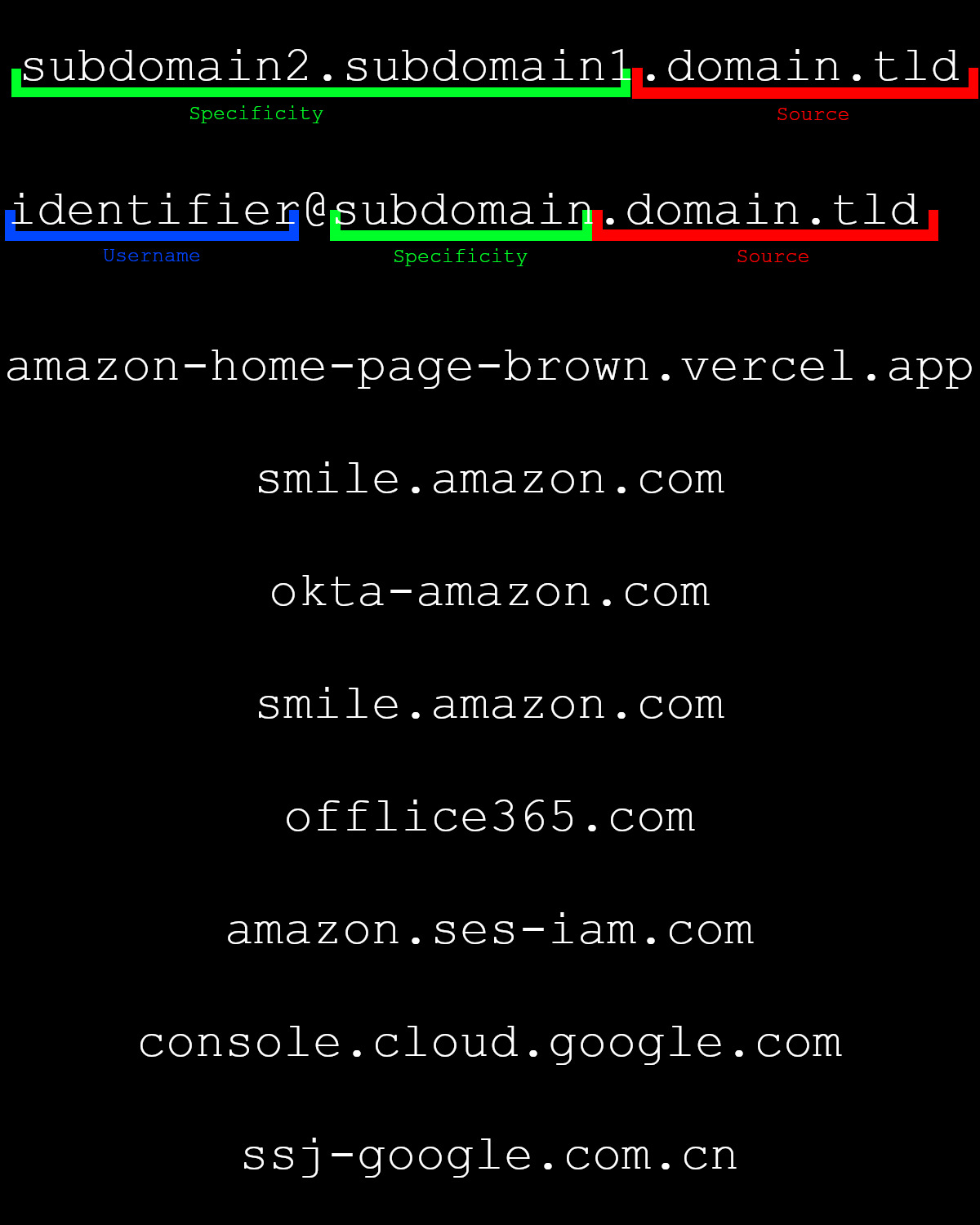
Detecting Impersonation and Communication-Based Cyber Attacks

Domain name structure showing TLD, domain and subdomain, illustrating how to verify website sources and improve cybersecurity awareness.
  • Always verify the source of a communication, regardless of whether it comes through email, SMS, phone calls, instant messaging, or social media.
  • Attackers frequently impersonate trusted organizations, colleagues, friends, or family members to gain credibility.
  • For emails, carefully check the domain name, which is the part located after the "@" symbol.
  • Small differences can be difficult to spot: for example, a lowercase "l" may look identical to an uppercase "I", and some Cyrillic characters closely resemble Latin characters.
  • When in doubt, verify the request through another trusted communication channel before taking any action.
  • Trust should be based on verification, not on the appearance of a message or the identity it claims to represent.Dans toutes les communications, vérifiez la source. Cela inclut les SMS et les appels, les e-mails, les messageries instantanées et les réseaux sociaux.
Metallic serpent dragon logo in red to purple gradient symbolizing offensive power, high quality, mythic strength and Python-inspired security defense

Hidden Risks of Automatic Digital Actions

  • Modern tools simplify everyday tasks by performing actions automatically.
  • Every time a tool simplifies a decision or an action for you, it means that someone else has decided what will happen on your device. This can be a legitimate developer trying to save you time, or an attacker attempting to make your phone or computer perform actions that lead to compromise.
  • Features such as opening links, joining Wi-Fi networks, or redirecting users can be abused by attackers.
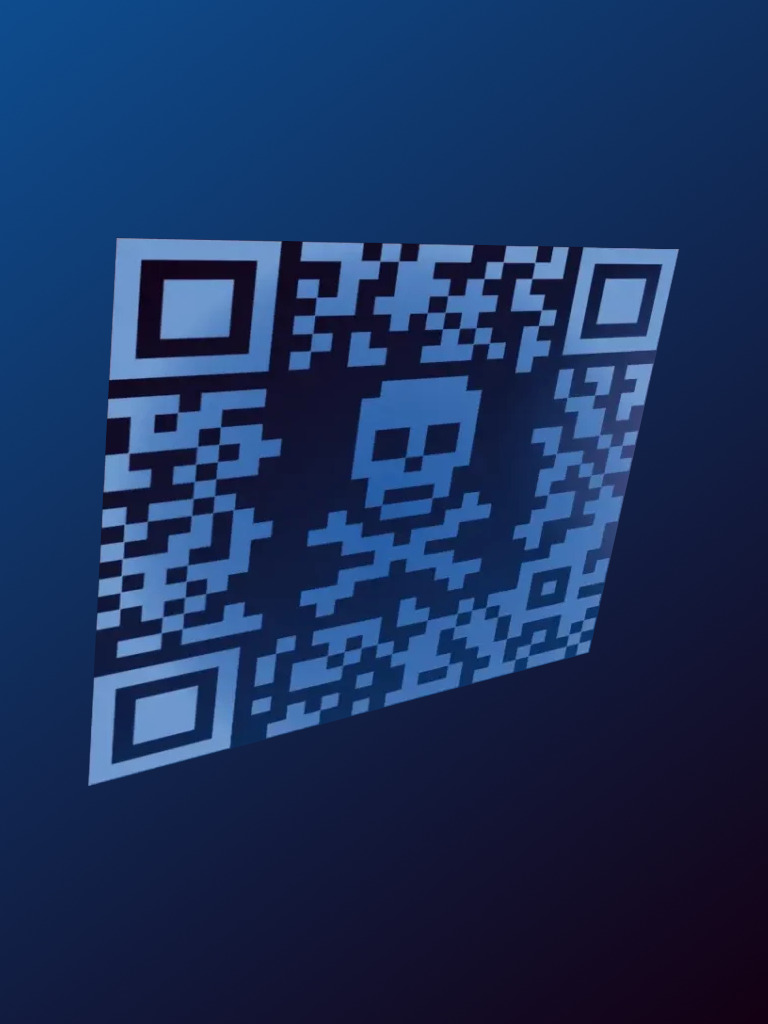
  • Never scan a QR code unless you fully trust and control its source.
  • Avoid clicking buttons, links, advertisements, or other external content that you cannot independently verify.
Malicious QR code with hacker skull symbol, illustrating QR phishing attacks, cybersecurity threats and fraudulent links used by cybercriminals.
Metallic serpent dragon logo in red to purple gradient symbolizing offensive power, high quality, mythic strength and Python-inspired security defense

External Devices and Removable Media Cybersecurity Risks

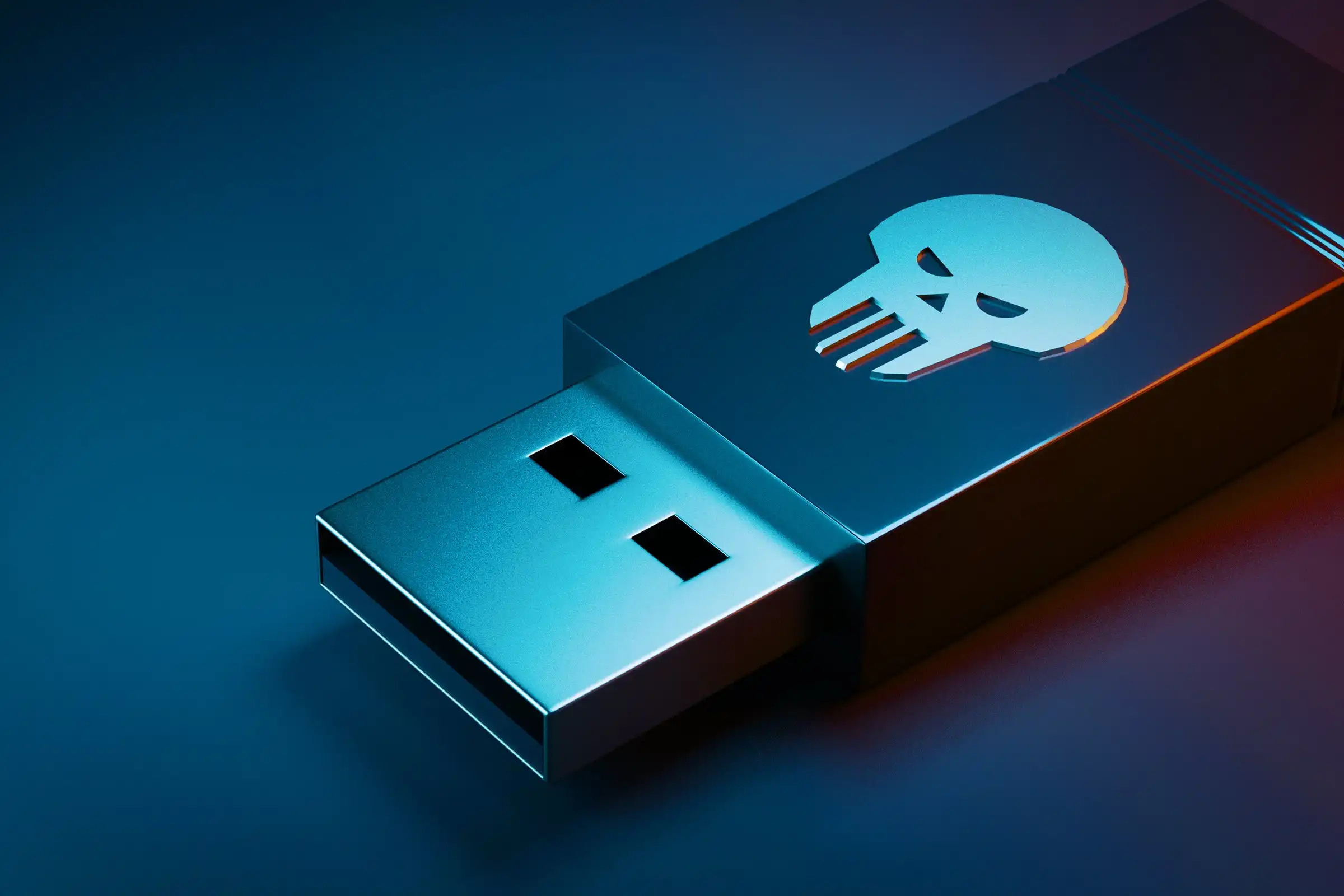
Suspicious hacker USB drive plugged into computer, highlighting cybersecurity risks of unknown external devices and removable media.
  • External devices are a common source of security compromise and should be handled with caution.
  • Avoid using unknown or untrusted peripherals whenever possible. If a device must be connected, only use your own trusted hardware.
  • Even devices belonging to friends or trusted colleagues may be compromised and can introduce malware or data theft risks to your systems.
  • Common examples of risky peripherals include USB flash drives, SD cards, smartphones, cameras, and other connected electronic devices.
  • USB drives are especially dangerous because they can automatically execute malicious actions when plugged into a system.
Metallic serpent dragon logo in red to purple gradient symbolizing offensive power, high quality, mythic strength and Python-inspired security defense

Physical Access Control and Session Security

  • When a target is difficult to compromise remotely, attackers may attempt to gain physical access or rely on local malicious actors to do so.
  • Physical security and cybersecurity are closely connected: an attacker who gains access to a building, an office, or a device may be able to bypass many digital security measures.
  • Always lock doors, secure access points, and lock computer sessions when leaving a workstation unattended, even for a short period.
  • If locks need to be replaced, choose security solutions that provide an appropriate level of protection against unauthorized entry.
  • Security should not focus only on the main entrance. Doors that can be opened with simple tools, open windows, or weak physical barriers can all become entry points for an attacker.
  • Just as digital systems must be protected against unauthorized access, physical access must be controlled and monitored to prevent compromise.
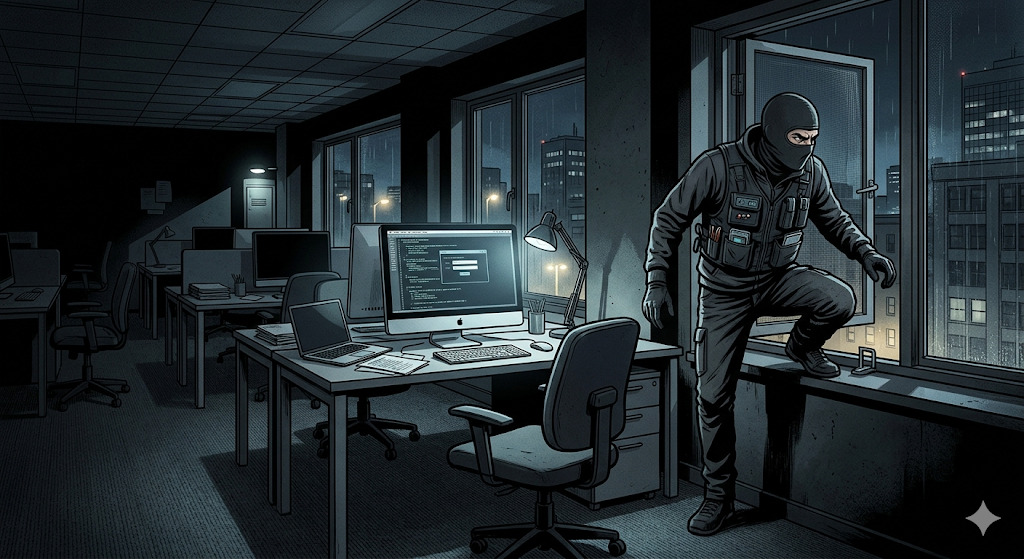
Cybercriminal entering through a window to compromise a computer and infiltrate the entire company network, illustrating cybersecurity breach risks and unauthorized access.
Metallic serpent dragon logo in red to purple gradient symbolizing offensive power, high quality, mythic strength and Python-inspired security defense

Physical Security and Device Protection

Hacker spying on confidential laptop data in a train using binoculars, illustrating shoulder surfing risks and the dangers of handling sensitive information in public places.
  • A device that is physically accessible to an attacker should be considered potentially compromised.
  • Computers, smartphones, tablets, and removable media should never be left unattended unless they are stored in a location controlled by you or your organization.
  • In public places such as trains, airports, hotels, or conferences, even a few seconds without supervision may be enough for a device to be stolen, modified, or accessed.
  • When working in public environments, privacy screen filters help prevent unauthorized observation of sensitive information displayed on the screen.
  • During travel, requests to leave electronic devices outside a meeting room or secure area should be carefully evaluated. Whenever possible, the device should remain under your control.
  • Radio-blocking pouches can help prevent wireless communications, but they do not replace physical supervision. The safest approach is to keep the device with you at all times.
Metallic serpent dragon logo in red to purple gradient symbolizing offensive power, high quality, mythic strength and Python-inspired security defense

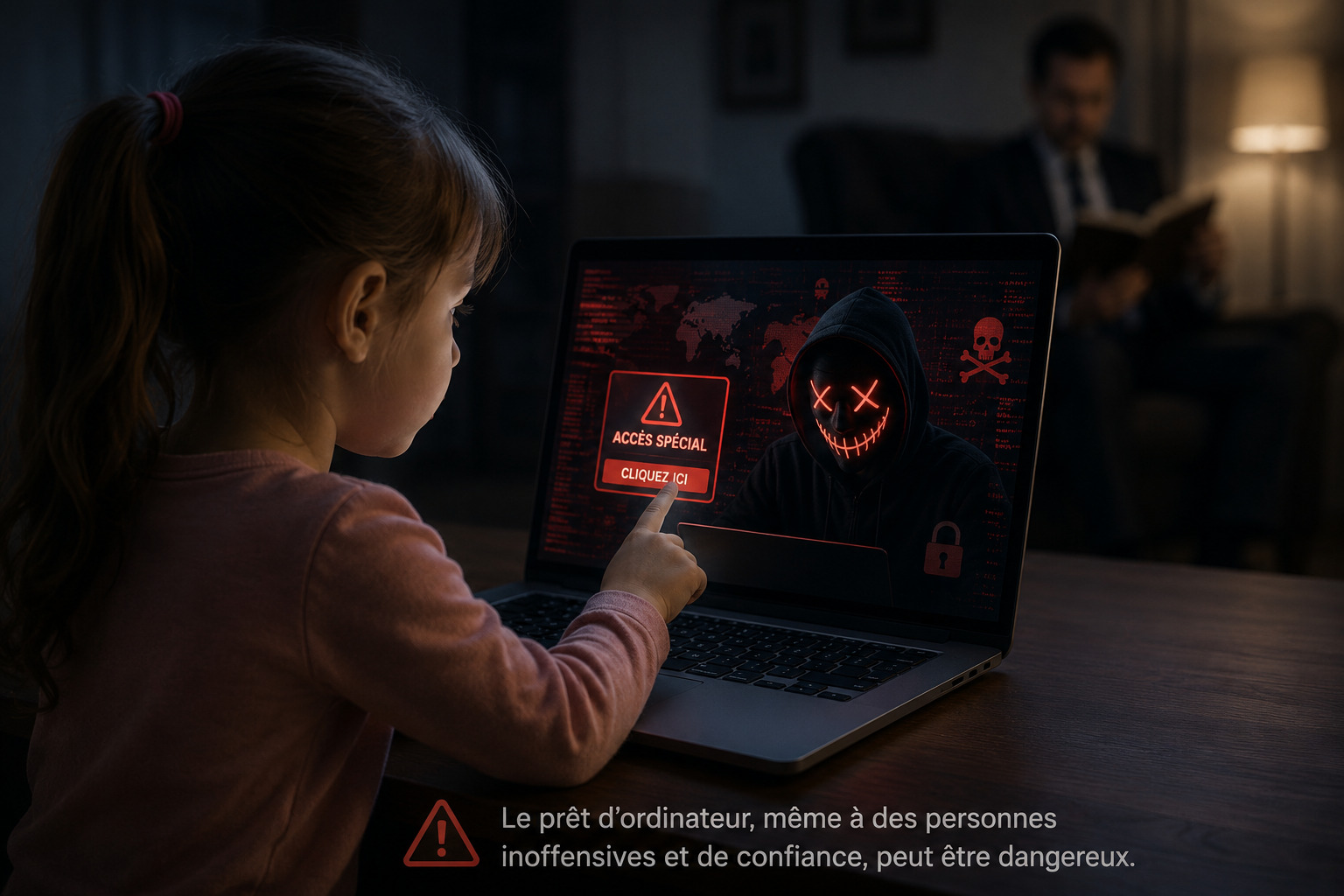
Never Lend Devices or Security Assets

Lending a laptop, smartphone, bank card, or security device can expose both personal and business information.

  • Even trusted people can make mistakes.
  • A simple click on a malicious link or QR code can compromise a device.
  • An infected USB drive or unsafe website can introduce malware.
  • Shared devices may expose emails, passwords, and company data.

Bank cards are also sensitive assets, a few seconds are enough to capture critical data and enable online fraud: card number, expiration date, security code (CVV), PIN code.

Child using a work computer and clicking a malicious link while employee is distracted, illustrating cybersecurity risks of sharing professional devices with family members.
Metallic serpent dragon logo in red to purple gradient symbolizing offensive power, high quality, mythic strength and Python-inspired security defense

Local Networks and the Risk of Lateral Cyber Attacks

Hacker intercepting data from business professional on public Wi-Fi in a café, illustrating cybersecurity risks of unsecured public networks and data theft.
  • Networks create connections between devices, allowing them to communicate and share resources. These connections can also provide opportunities for attackers to move from one system to another.
  • A compromised device on a home network may become a pathway to other devices connected to the same network.
  • For example, if a professional laptop is connected to a home Wi-Fi network where another device has already been compromised, an attacker may attempt to reach the professional system through that connection.
  • Public Wi-Fi networks in cafés, hotels, airports, trains, or other public places present additional risks because unknown and potentially malicious devices may be connected to the same network.
  • Whenever possible, limit exposure to untrusted networks and be aware that every network connection extends the potential attack surface of a device.
Metallic serpent dragon logo in red to purple gradient symbolizing offensive power, high quality, mythic strength and Python-inspired security defense

Verify Requests, Avoid Isolation, Never Act Under Pressure

Attackers often rely on urgency, authority, and pressure to bypass security controls.

  • Be suspicious of requests that require immediate action.
  • Never make sensitive changes without verification.
  • Confirm requests through a second, independent communication channel.
  • Do not rely solely on information provided during the conversation.

If a manager or IT support representative asks you by phone to transfer money, reset a password, or log in to a website, always verify the request through a separate trusted channel before acting.

Stressed HR employee approving large financial transactions under pressure, illustrating CEO fraud, social engineering attacks and business email compromise scams.
Metallic serpent dragon logo in red to purple gradient symbolizing offensive power, high quality, mythic strength and Python-inspired security defense

Preventing Accidental Data Leaks and Information Exposure

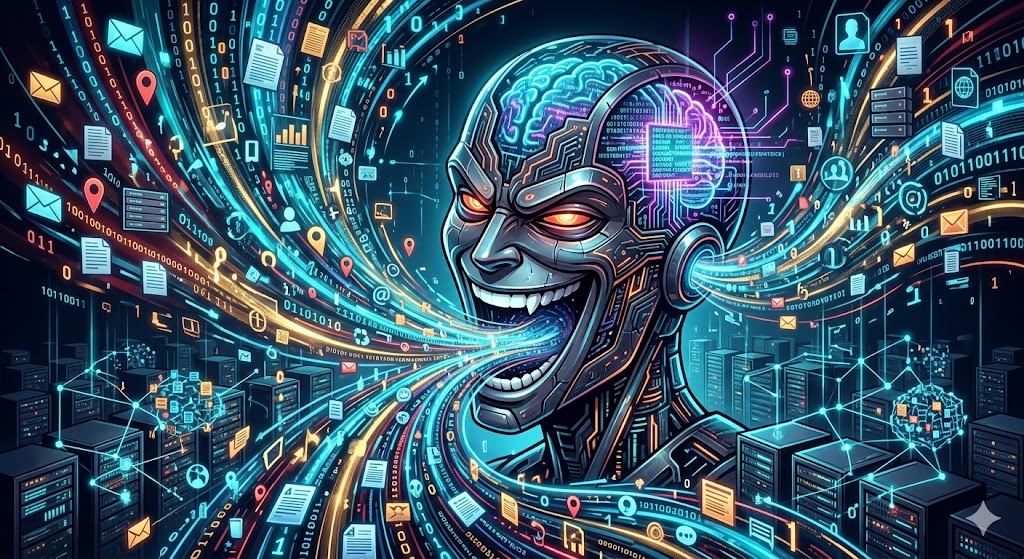
Malicious-looking AI digital brain consuming massive amounts of data, illustrating artificial intelligence data collection, privacy risks and cybersecurity concerns.
  • An increasing number of confidential data breaches are caused by employees who unknowingly misuse digital tools and online services.
  • Search engines, AI assistants, cloud storage platforms, forums, and many messaging services may store, process, analyze, or retain the information entered by users.
  • Confidential company information should never be shared with these services unless they have been explicitly approved for that purpose.
  • This includes source code, HR data, financial information, strategic plans, research data, intellectual property, and other sensitive business information.
  • Many users assume that a service is private or secure because it is encrypted. However, some services integrate AI features that can process, store, or learn from user content.
  • Emails are widely used for official communications, but they should not be considered a secure method for transmitting highly confidential information.
Metallic serpent dragon logo in red to purple gradient symbolizing offensive power, high quality, mythic strength and Python-inspired security defense

Separating Personal and Professional Digital Activities to Prevent Cyberattacks

  • Organizations invest heavily in security controls, monitoring, and protection mechanisms across internet access, email systems, mobile devices, workstations, and corporate networks.
  • Because these protections make attacks more difficult, attackers often look for less protected entry points.
  • Personal accounts, devices, and services are frequently targeted because they usually have fewer security controls than corporate environments.
  • Mixing personal and professional activities increases the risk that a compromise in one environment can spread to the other.
  • Accessing personal emails on a work computer, or professional resources from a personal device, can create a bridge between two environments that should remain separate.
  • Whenever possible, use separate devices, email addresses, phone numbers, accounts, and services for personal and professional activities to reduce the impact of a compromise.
Split-screen comparison of personal and professional computer use, highlighting the importance of separating work and private environments for better cybersecurity.
Metallic serpent dragon logo in red to purple gradient symbolizing offensive power, high quality, mythic strength and Python-inspired security defense

Be Cautious with Notifications and Contact IT

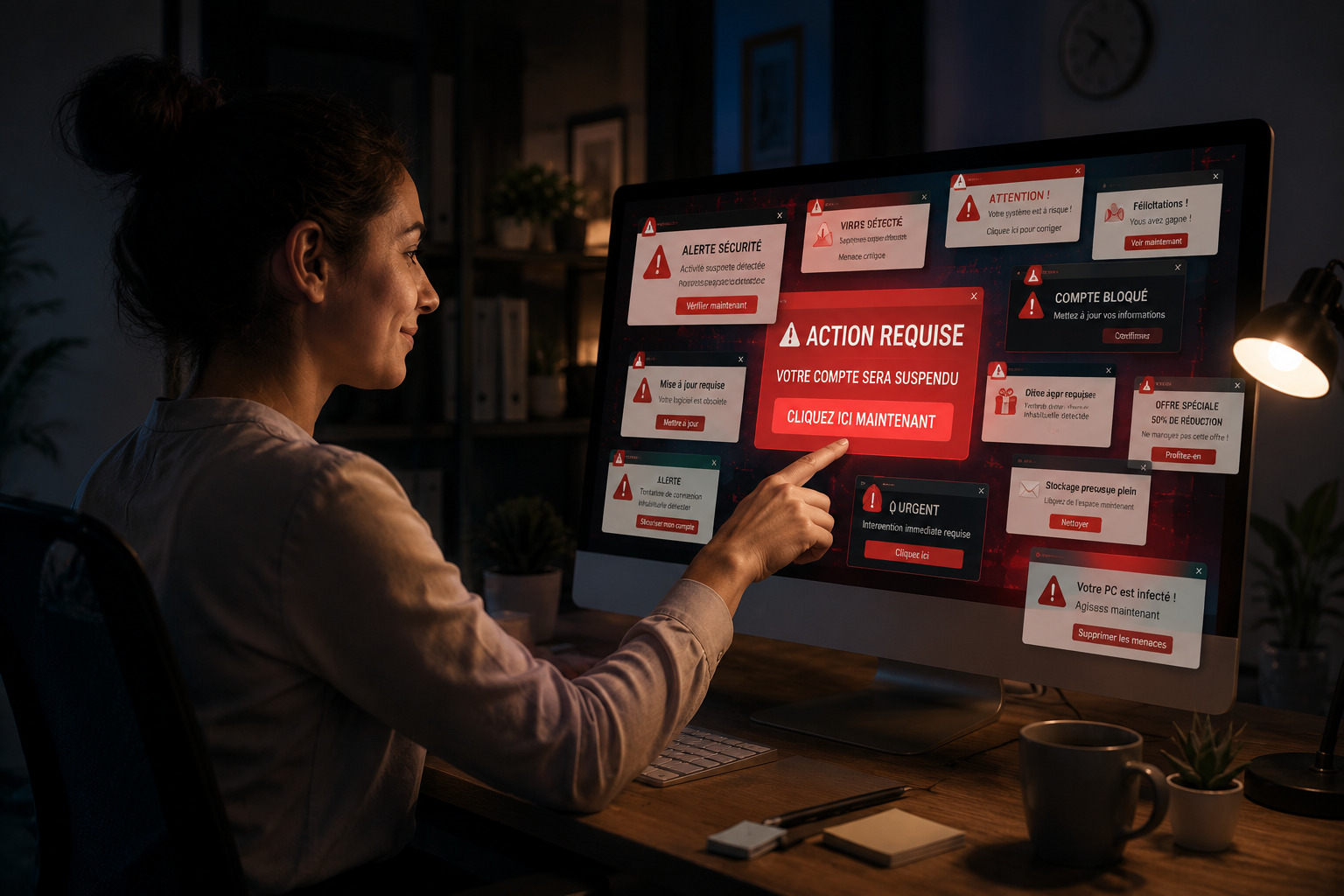
User clicking multiple urgent security notifications without verification, illustrating alert fatigue, phishing risks and dangerous cybersecurity habits.

Not every notification is legitimate. Attackers often use fake alerts, warnings, and urgent messages to create panic and trigger immediate actions.

  • Be cautious with unexpected security warnings or urgent notifications.
  • Do not assume a notification is genuine simply because it appears on your screen.
  • Avoid clicking links, calling phone numbers, or following instructions before verification.
  • When in doubt, contact your IT department and ask them to validate the message.

By involving IT:

  • Security incidents can be investigated more quickly.
  • Appropriate remediation actions can be prioritized.
  • Attack attempts can be identified and contained faster.
Metallic serpent dragon logo in red to purple gradient symbolizing offensive power, high quality, mythic strength and Python-inspired security defense

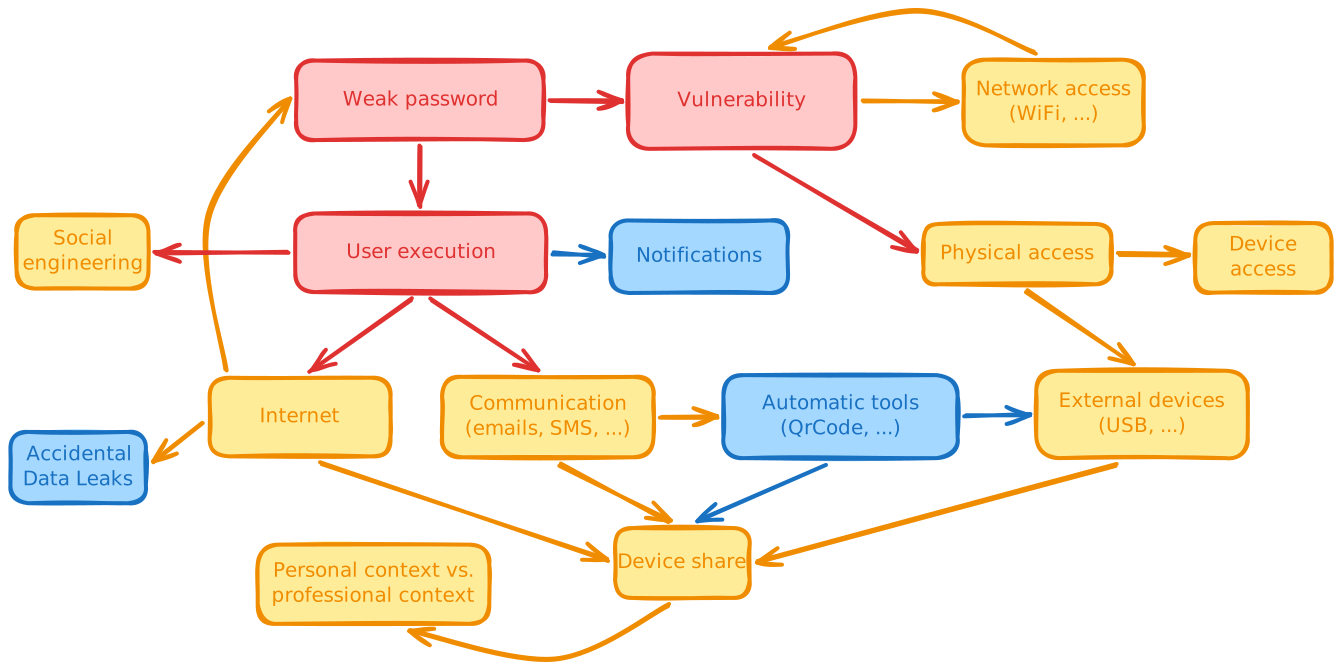
Full attacks vectors schema

Schema representing attacks vectors logical order.
Metallic serpent dragon logo in red to purple gradient symbolizing offensive power, high quality, mythic strength and Python-inspired security defense

My path, my passion: cybersecurity